Updating a User's Login Email Address
This article explains how to update a user's login email address, for example when changing to a new email domain
Prerequisites
Before proceeding, ensure your user role has the following permission enabled:
- Users: Modify user email (used as a login)
Without this permission, you will not be able to edit the user's login email address.
Steps:
- Navigate to Administration > Users.
- Locate the user whose login email address needs to be updated.
- Select the user and click Edit.
- Update the email address to reflect the new domain
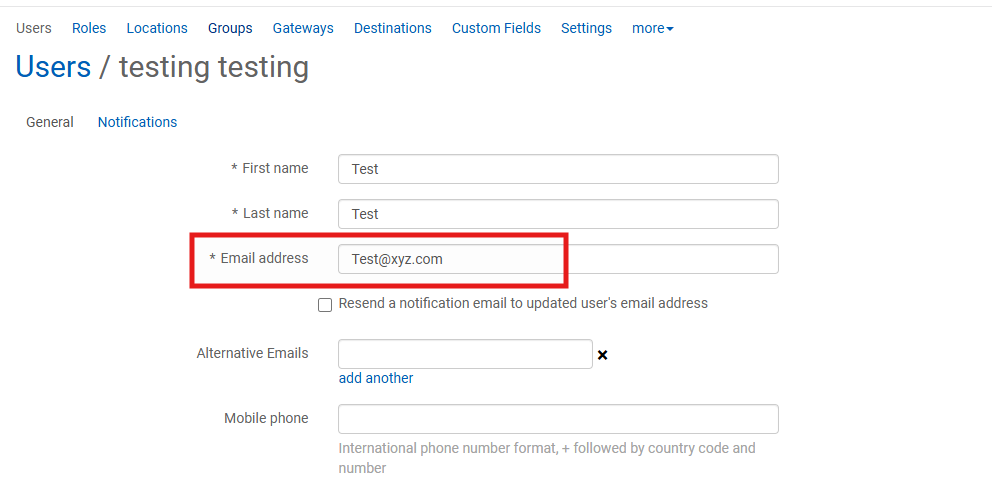
- Check "Resend a notification email to updated user's email address"

- Click Save to apply the changes.
- Updating the login email address does not affect the user's existing account or permissions.
- The user will need to use this new email address to log in going forward. All future CIMAR notifications, including MFA verification PINs, will be sent to this email address.